
How to change font size.
Below is the walkthrough on how to change the font size of PAX A910s terminals.
Step 1
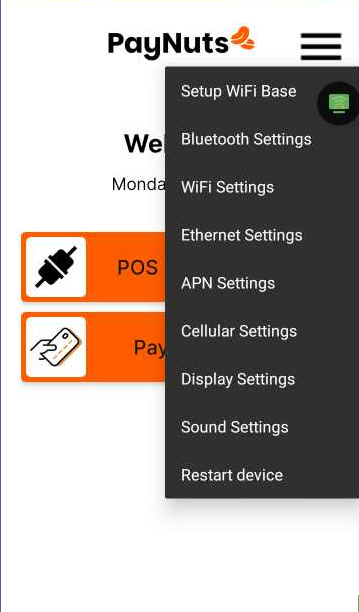
On the Main App Screen, Tap on the Menu/Hamburger Icon and select Display Settings.
Step 2
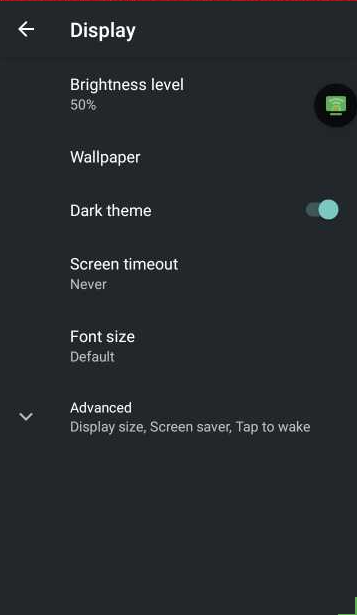
On the Display Settings page, tap on Font Size.
Step 3
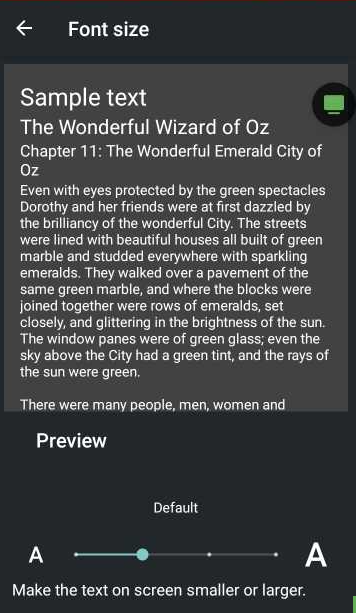
Select the size based on your preference by toggling the bar below, press the left arrow button at the top left to save.