

PayNuts POS - Printing Kitchen Dockets on a Specific Printer
Step 1
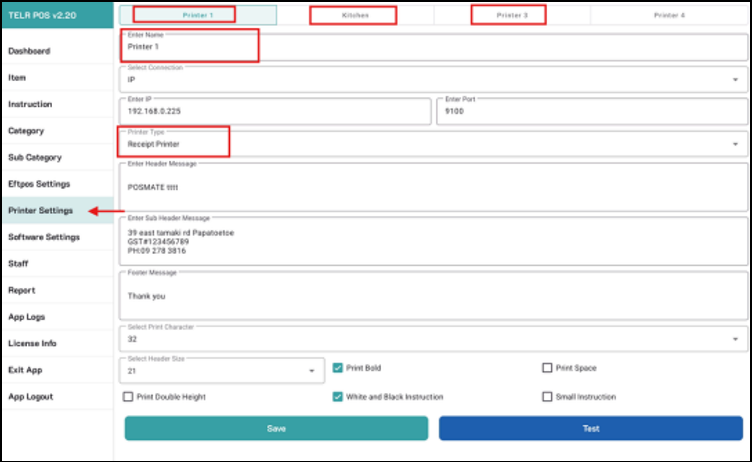
Go to the Printer Settings to make sure printers are all set.
Step 2
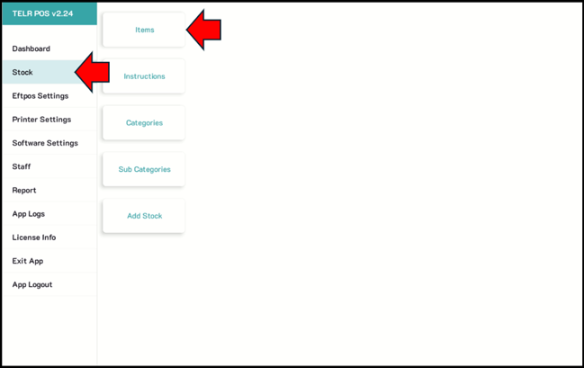
Go to the Items tab
Step 3
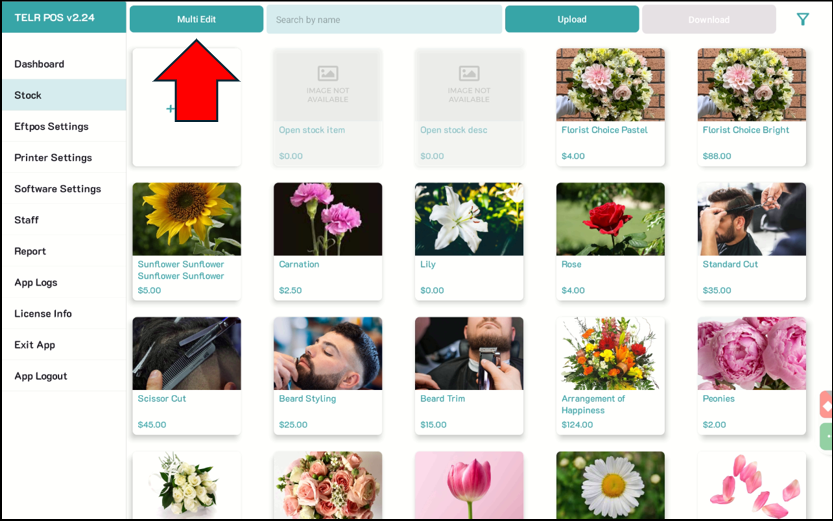
Tap on MULTI EDIT.
Step 4
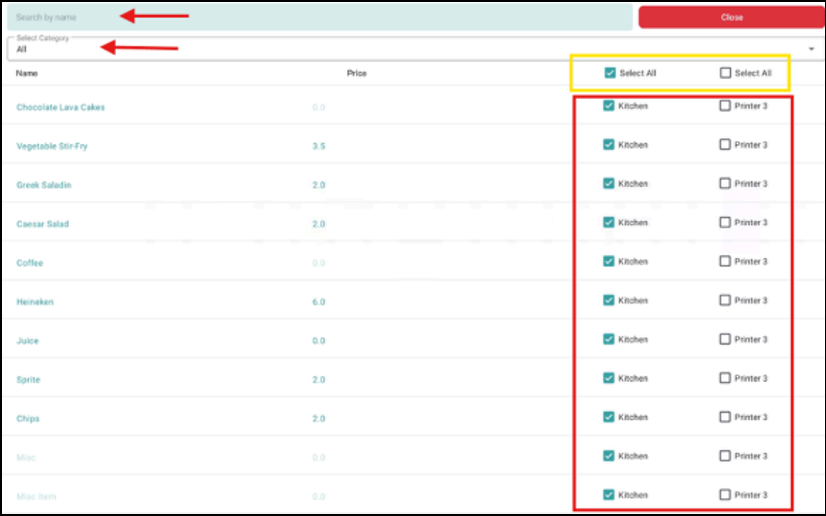
Select on the items to be printed out to the specific printer.
Step 5
Tap Close to save.