

PayNuts POS - Selecting Printers from Item Tab
Step 1
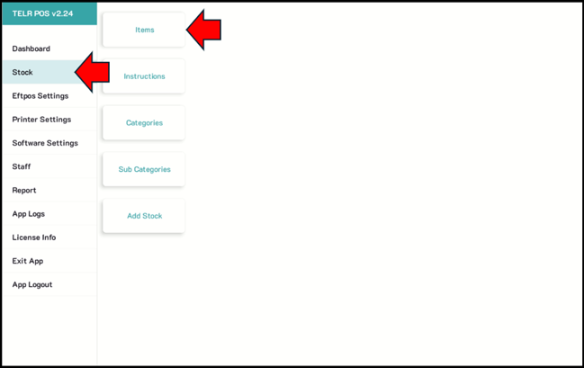
Go to Stock. Tap Items tab
Step 2
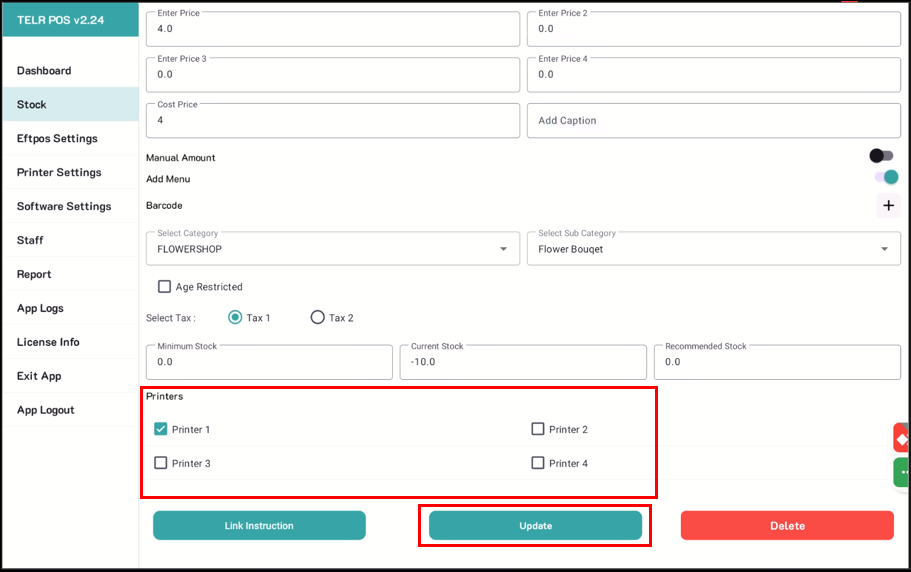
Select an item to be printed out on a specific printer (ex. kitchen printer, label printer, etc.)
Click on update once completed.
Step 1
Go to Stock. Tap Items tab
Step 2
Select an item to be printed out on a specific printer (ex. kitchen printer, label printer, etc.)
Click on update once completed.